Explore
VeriClock

Optimize your workforce using industry-leading digital tools, designed to transform your business operation.
  • No credit card required
  • Cancel anytime
4.5 star review
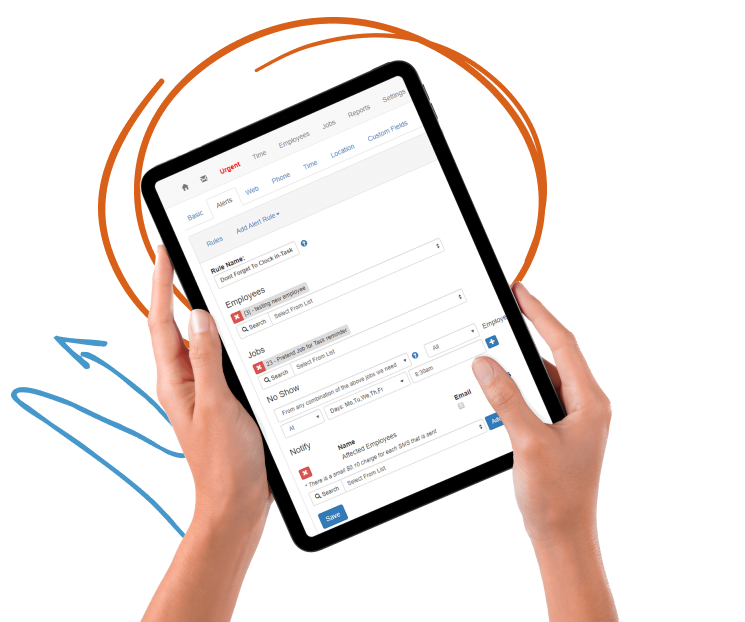
Creating employee clock-in alerts in VeriClock’s time tracking dashboard on a tablet device.

Track Time Like a Boss

VeriClock offers cloud-based employee time tracking solutions, which means you’ll never have to bother with another software download or update again. It works on any device your employees have — tablets, desktops, smartphones and even flip phones.
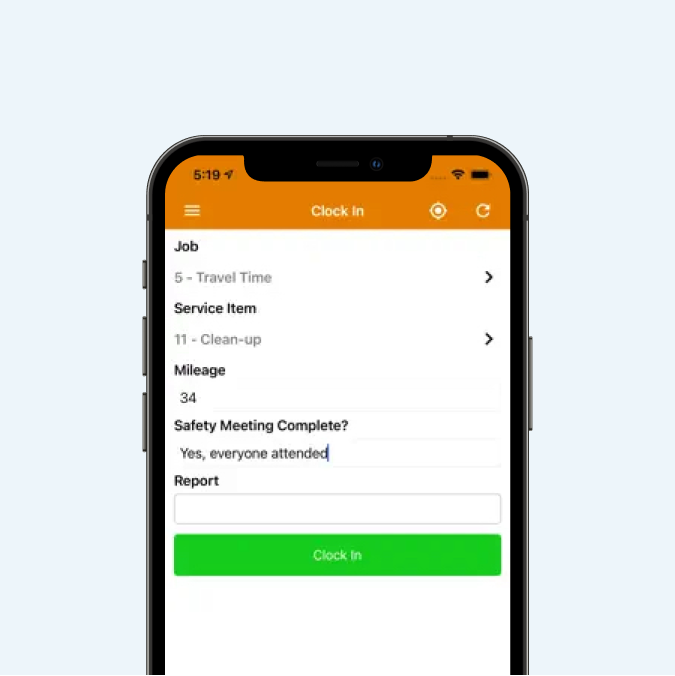
Clock-in screen on VeriClock mobile app with job, mileage, and safety meeting confirmation fields.
VeriClock GPS tracking icon for monitoring employee locations in real time.
VeriClock job and shift scheduling icon for tracking employee hours by task.
Cross-device access icon showing VeriClock compatibility with mobile and desktop platforms.

Clock on the Go

Unlock the power of mobile time tracking, making it easy for the team to clock in and out

  • Clock in anytime, anywhere
  • Easy to clock in and out
  • Web, mobile, tablet, SMS, and Telephone IVR

Improve Accuracy

No need to manually calculate time worked, payroll, and mileage.
  • Easily split shifts, approve, and adjust
  • Safeguard against duplicate time entry
  • Full audit trail and reporting
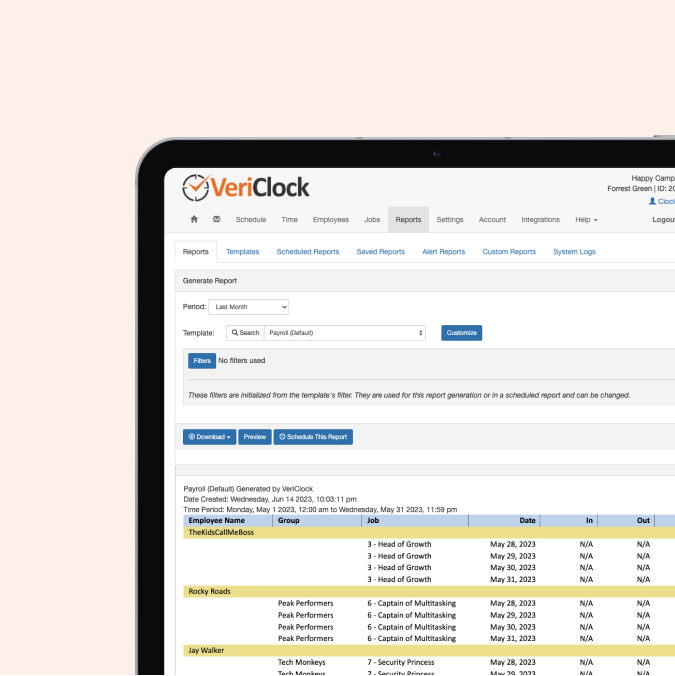
Payroll report in VeriClock showing job roles, employee groups, and time entries by date.
Dashboard layout icon representing VeriClock’s customizable time tracking interface.
Security icon for VeriClock's safe and compliant employee time tracking features.
Checklist icon representing VeriClock’s job reporting and activity tracking tools.
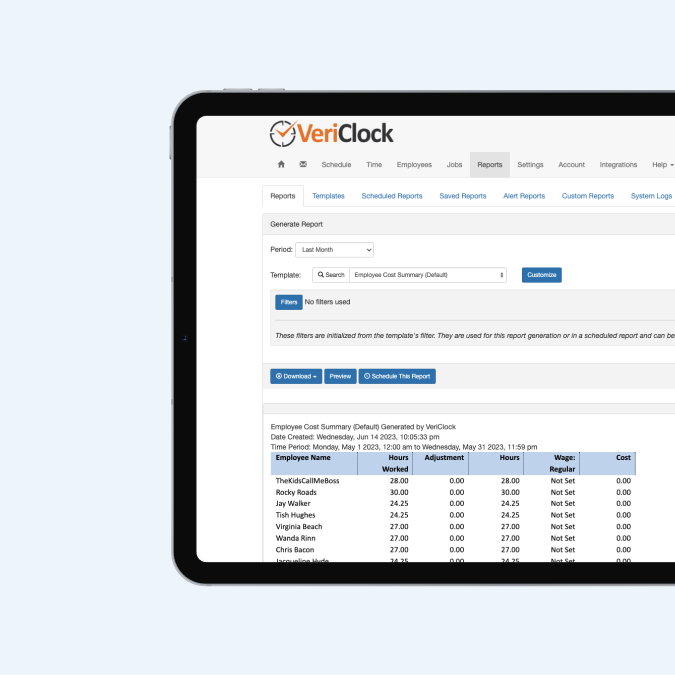
VeriClock cost summary report showing employee hours worked and wage tracking by job.
Geofencing icon for setting location-based clock-in and clock-out rules in VeriClock.
VeriClock stopwatch icon for tracking employee work hours and breaks in real time.
VeriClock digital signature and document approval icon for work verification.

Pay and Bill Faster

Now you can quickly and reliably create staff payroll and bill customers for time worked.
  • Payroll data is ready as soon as employees clock out
  • Track mileage and job costs
  • Export timesheets to payroll or custom reports

Even more powerful time tracking features

Now you can quickly and reliably create staff payroll and bill customers for time worked.

  • Main dashboard view for all clock events
  • Ability to approve single or multiple time events
  • Time Guard option – auto clock employees
  • Ability to split shifts at midnight
  • Track mileage at specific points in time
  • Time Grid function
  • Track breaks, lunch, and durations
  • Time Activity Notes
  • Geofence rules for clock in and out
  • And more!
  • No credit card required.
  • Cancel anytime.
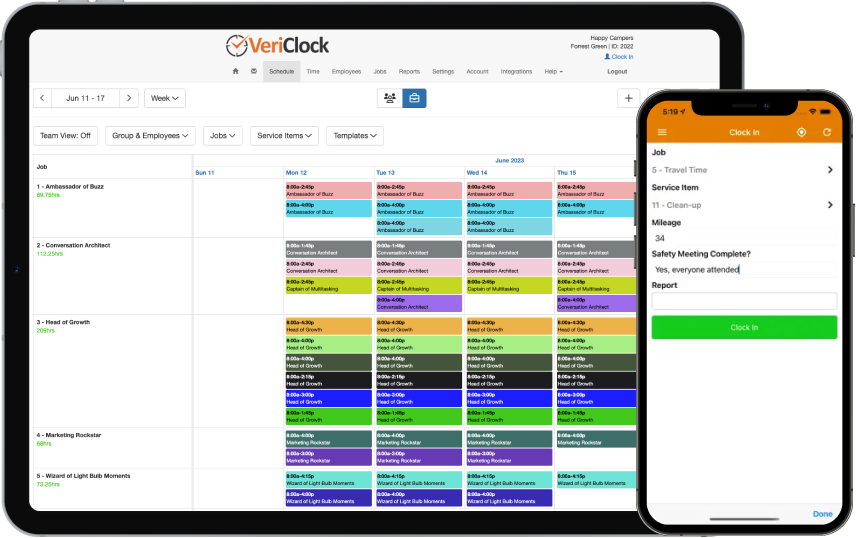
VeriClock’s job scheduling dashboard with mobile time tracking and safety checklist for field teams.

FAQ

Frequently Asked Questions

Employees can clock in and out using:

  • The VeriClock mobile app
  • A web browser
  • Kiosk mode (shared device)

Each clock event can include:

  • Job selection
  • Service item selection
  • Notes
  • GPS location capture

If a shift has been scheduled, employees can tap their scheduled shift in the mobile app to automatically prefill the assigned job and service item, reducing manual entry errors.

VeriClock does not track employees outside of working hours.

Location tracking can occur:

  • At clock-in
  • At clock-out
  • During active shifts (if continuous GPS tracking is enabled)

Continuous GPS tracking is optional and only runs while an employee is clocked in. Tracking automatically stops at clock-out, ensuring jobsite visibility during paid work hours while protecting privacy outside work time.

VeriClock supports two levels of GPS validation:

✔ Clock Event GPS Capture

At clock-in and clock-out:

  • GPS coordinates are recorded
  • Location is viewable on a map
  • Distance from the assigned jobsite can be reviewed

This verifies where the employee was when time was recorded.

✔ Optional Continuous GPS Tracking During Active Shifts

If enabled:

  • GPS data is recorded periodically while the employee is clocked in
  • Location movement can be reviewed throughout the shift
  • Tracking automatically stops at clock-out

This supports:

  • Jobsite compliance verification
  • Field crew visibility
  • Route validation
  • Reduced time theft risk
  • Stronger payroll defensibility

Yes. You can configure:

  • Geofence boundaries around jobsites
  • Warnings when clocking in outside permitted areas
  • Restrictions to block clock-in when outside approved locations

This helps ensure time is recorded only from authorized job locations.

VeriClock reduces fraudulent clock-ins through layered controls:

  • GPS location verification
  • Geofence enforcement
  • Device restrictions
  • Phone number blocking
  • Kiosk PIN authentication
  • Manager approval workflows
  • QR code/badge scanning
  • Selfie clock-in with verification

These controls help prevent proxy clock-ins and unauthorized time entry.

If an employee forgets to clock out:

  • Time entries can be reviewed and adjusted (based on permissions)
  • Managers can approve or reject entries
  • Irregular or extended time entries can be flagged

Time can be configured to require approval before payroll export, ensuring accuracy before wages are processed.

Time editing permissions are role-based.

You can configure:

  • Whether employees can edit their own entries
  • Whether edits require approval
  • Which managers can modify time
  • Who can approve time
  • Who can export payroll data

This supports separation of duties and payroll governance.

Yes. Time entries can be routed through:

  • Supervisor approval
  • Manager approval
  • Multi-level approval (if configured)

Only approved time can be exported to payroll systems. This ensures validated labor data flows into accounting and payroll.

Yes. Each clock-in can be tied to:

  • A specific job
  • A service item (sub-task)
  • Custom notes

This supports detailed job costing, labor tracking, and profitability reporting.

Yes. Kiosk mode allows:

  • Multiple employees to clock in/out from a shared device
  • PIN-based authentication
  • GPS verification tied to device location

This is ideal for yards, warehouses, shops, and centralized jobsite check-ins.

Yes. You can:

  • Block clock-in/out from specific phone numbers
  • Flag clock-ins with warnings
  • Review time entries before approval

This adds an additional enforcement layer to your time tracking process.

Yes. VeriClock integrates with:

  • QuickBooks Desktop
  • QuickBooks Online
  • Sage 50 US
  • Sage 50 Canada
  • Sage 100 Contractor
  • Sage 300 Construction and Real Estate

Approved time can be exported directly into these systems, supporting clean payroll processing and accurate job costing.

This reduces:

  • Manual payroll cleanup
  • Double data entry
  • Job costing discrepancies
  • Post-payroll corrections

Yes. Each time entry maintains:

  • Clock-in and clock-out timestamps
  • GPS location data (if enabled)
  • Edit history
  • Approval history

This creates a clear audit trail for payroll validation, internal review, and compliance oversight.